Each obligation carries its provision
An obligation is selected from a curated register tied to pinned provisions, and shows the citation it was determined from. How the laws are determined.

LegisGate · the obligations
The determination names the laws that reach an AI use case. Under each law is what it requires you to do. In LegisGate every one of those obligations has an owner, a due date and the proof attached, and the whole team works from the same list.
Where they come from
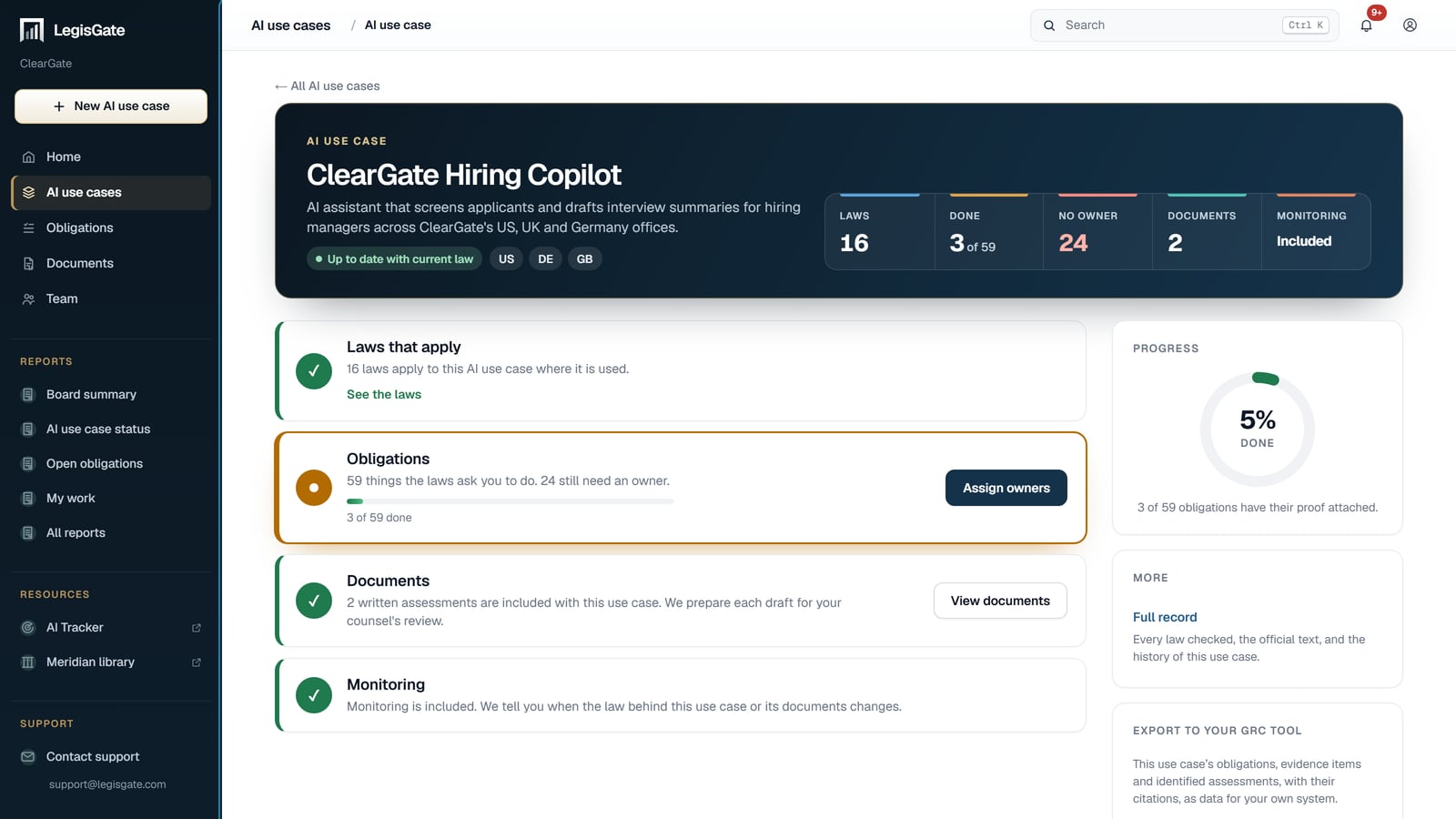
One page for each AI use case: its laws, its obligations, its written assessments and monitoring, with how much of the work is done.
An obligation is selected from a curated register tied to pinned provisions, and shows the citation it was determined from. How the laws are determined.
The obligations are sorted by the department that has to act on them, so a department sees its own work and not the whole list.
Its laws, its obligations, its written assessments and its monitoring sit on one page.
The work
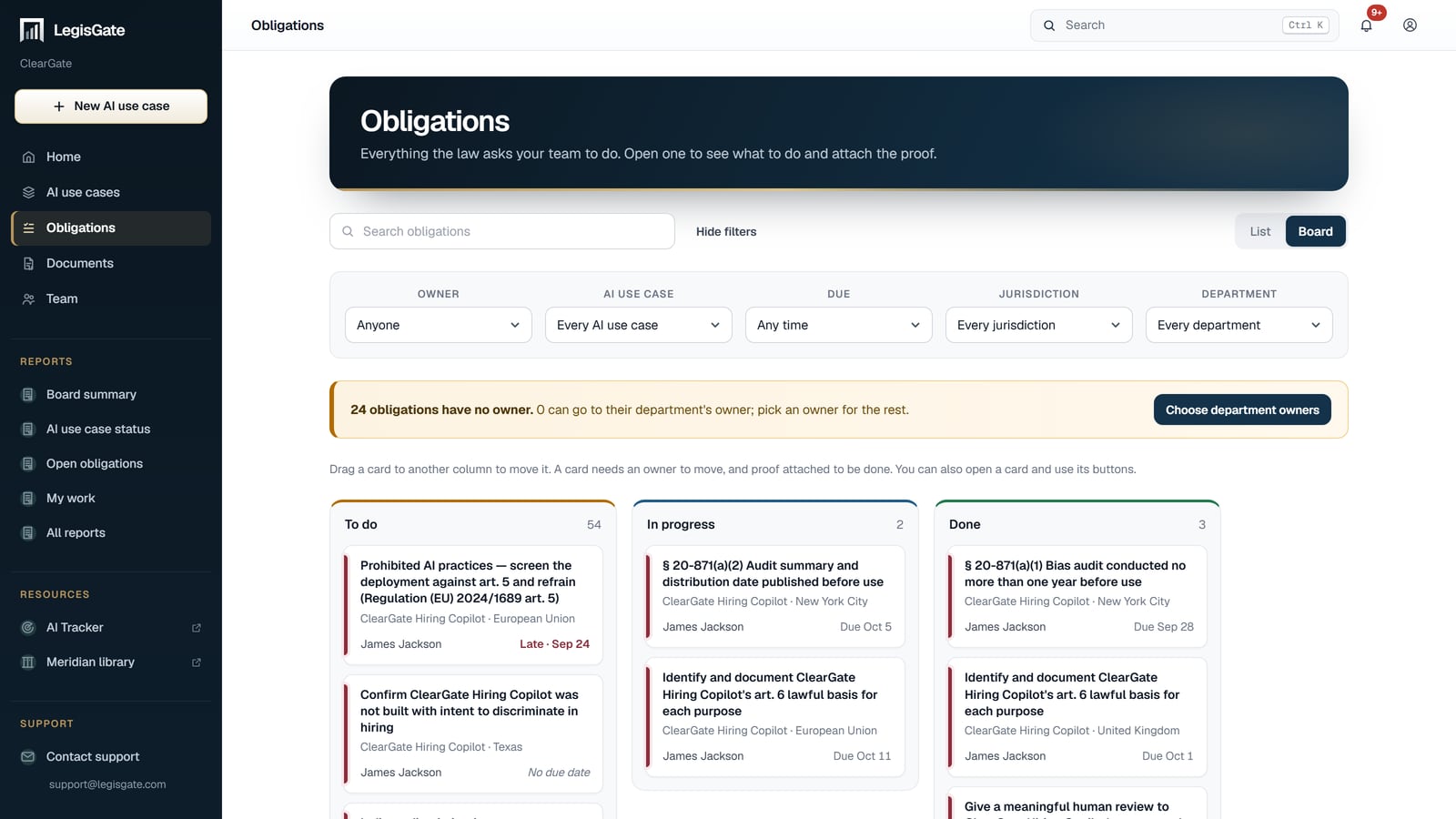
Every obligation across every AI use case, in one view. The board has three columns — To do, In progress, Done — and you drag a card from one to the next.
Each obligation has an owner and a due date. Hand a department its obligations in one click; nobody retypes a duty into an email to pass it on.
Proof is attached to the obligation it answers, so the record and the requirement are the same object, not a folder somebody has to remember.
Filter by owner, AI use case, jurisdiction, department and due date. Your own business units and regions are filters too.
The team
An obligation is only done when the person who owns it knows it is theirs. These are the parts of the platform that get it to them.
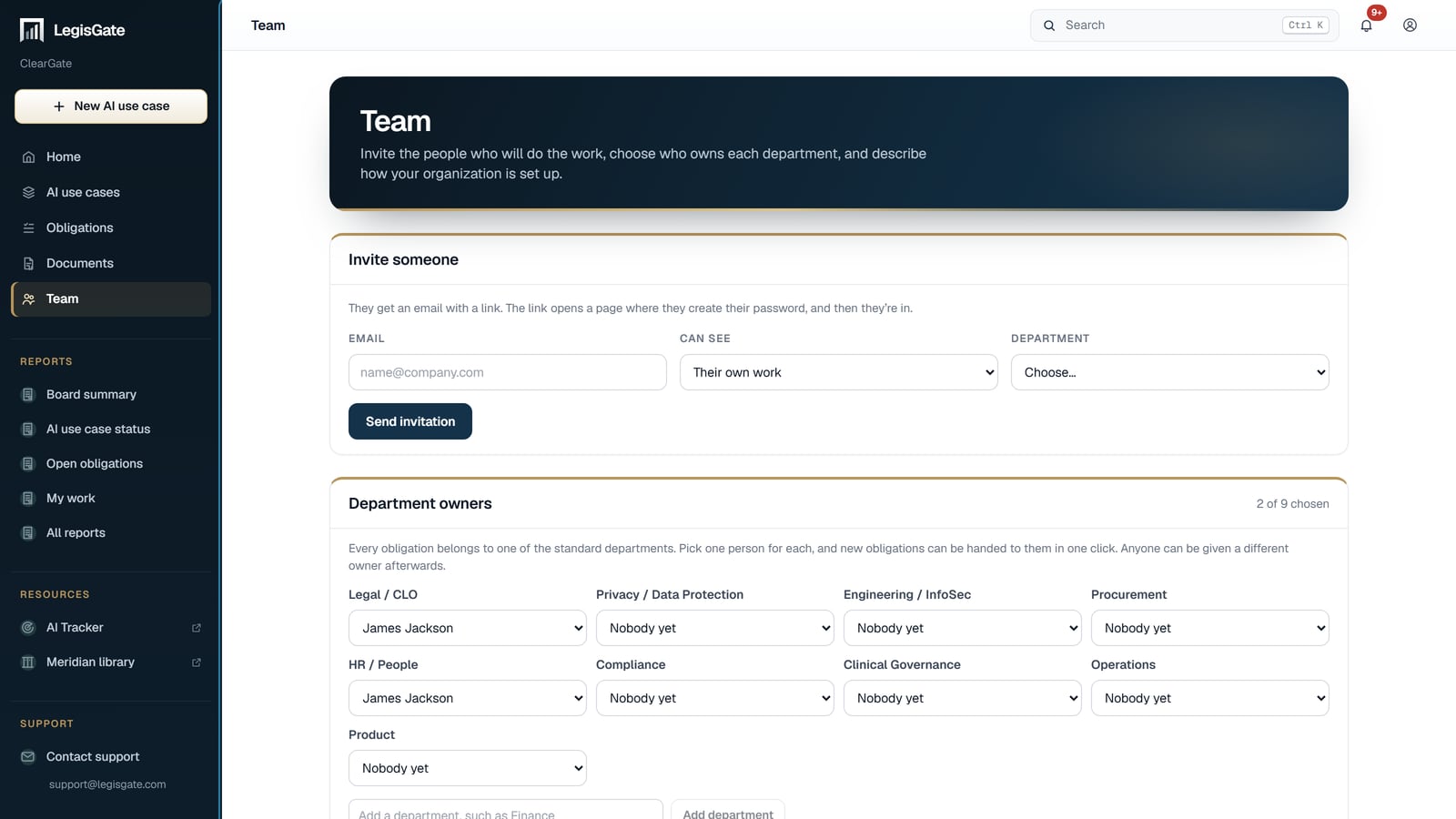
Invite the team by email
Each person creates a password from the invitation. There is no charge for each person, because people are not the unit. The AI use case is.
Admins see everything. Members see their own work
An admin sees every AI use case and every obligation in the workspace. A member sees the work that has been given to them.
Your business units and regions
Set up the business units and regions your organisation uses, and filter the workspace by them.
A measure from an assessment becomes an obligation
A mitigation recorded in an assessment register is created as an obligation with an owner and a due date, and appears on the board with the rest of the work. The assessment register.
An export for your GRC tool
Export a use case's obligations, evidence items and identified assessments as JSON, for the GRC tool your programme already runs on. The duties do not have to be retyped by whoever is handed them.
A recorded approval decision
The decision on an AI use case is recorded on the use case, next to the laws and the obligations it was made on.
What this is not. LegisGate produces regulatory intelligence and assessment-preparation materials. Nothing we produce is legal advice, a legal opinion, a certification, or a determination of compliance, and no document we deliver satisfies a legal obligation on its own. Sufficiency is determined by your counsel. The platform records who owns an obligation and what proof is attached. Whether that proof is enough is your counsel's call.
The offer
Everything is included with each of them: the laws, the obligations, the written assessments and monitoring. No card.
More than five is a subscription, priced by the number of AI use cases you keep in the platform. We quote it in one conversation.


See it on a real one
A walkthrough on a hypothetical is a demo. Your own use case, with its real laws and its real obligations in front of the person who has to act on them, is a decision.