The platform

One platform for every AI use case your organization runs.

LegisGate keeps the inventory, identifies the laws and obligations that apply to each AI use case, opens the assessments with the regulatory parts completed, and tells you when the law behind a use case changes.

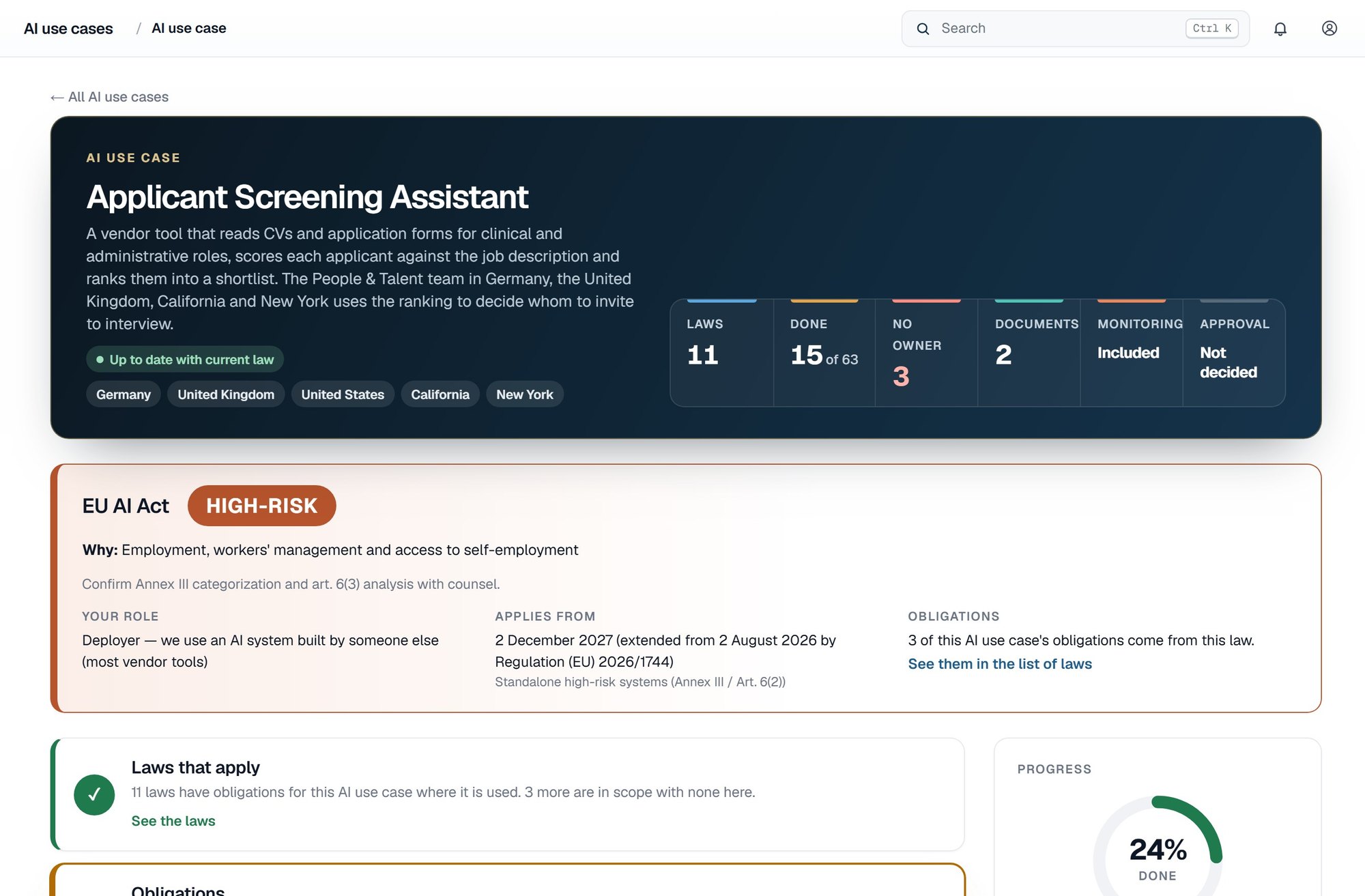
One AI use case in LegisGate: its jurisdictions, EU AI Act risk level, the laws that apply, the obligations and how many are done, and its written assessments

The four parts

Everything the law asks of an AI use case, in one place.

An AI use case is one tool used for one purpose. Each one you add comes with all four parts. Your counsel reviews the results and decides whether they are sufficient.

01 · Inventory

Keep your AI use cases in one inventory

Add each AI use case once, with the jurisdictions it reaches. Your intake answers are asked once and drive every assessment and every obligation for that AI use case.

  • One record for each AI use case
  • The jurisdictions it reaches
  • No charge per user
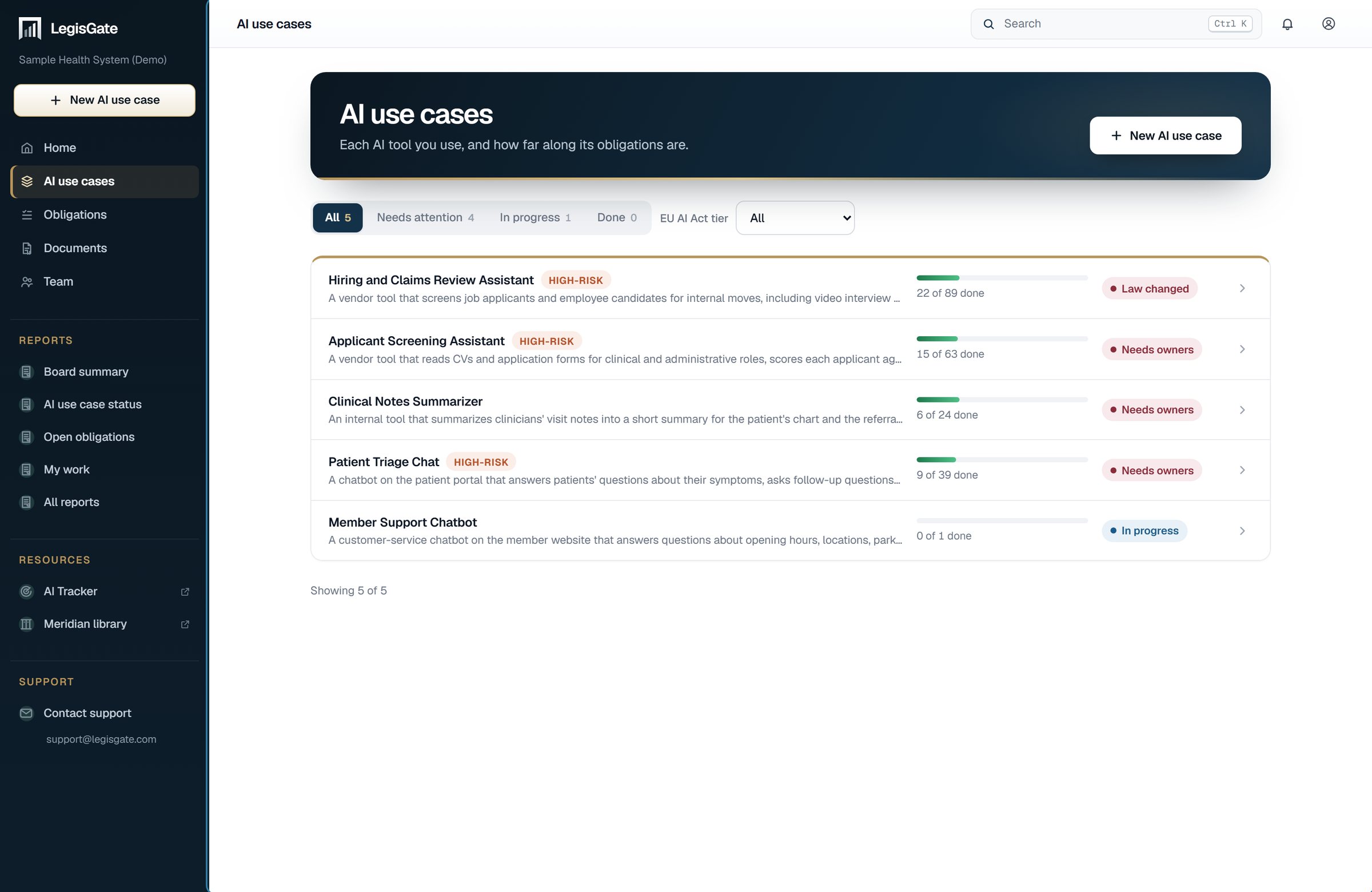
The AI use case list in LegisGate: each use case with its title, a high-risk tag where the EU AI Act applies, how many obligations are done and a status such as Needs owners or Law changed

02 · Laws and obligations

See the laws and obligations that apply to each one

Each law is cited to the provision and linked to the official text. Laws that were checked and do not apply are recorded with the reason.

  • Cited to the provision
  • Ruled-out laws recorded with the reason
  • An owner and a due date you can assign to each obligation
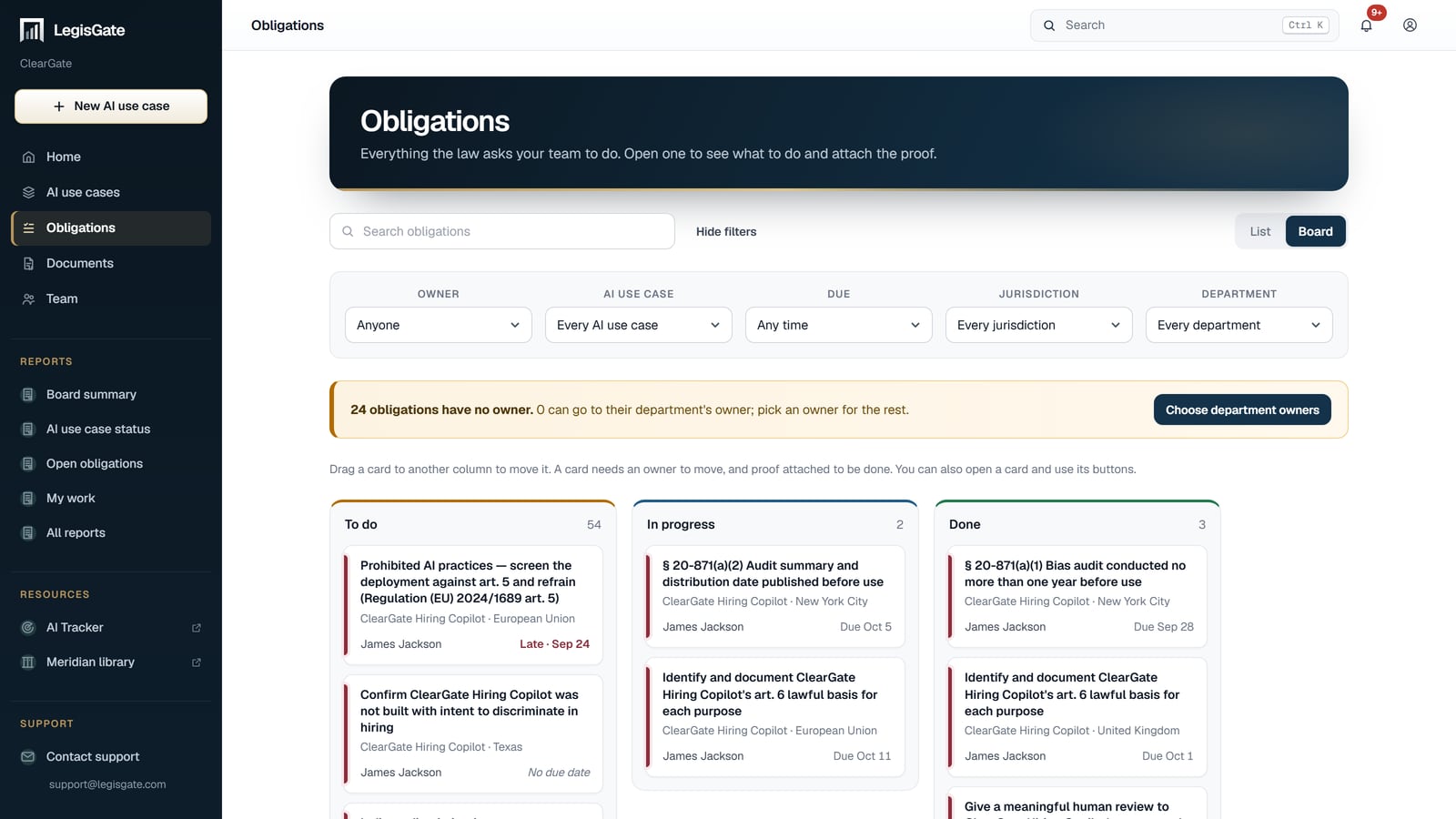
The obligations board in LegisGate, with To do, In progress and Done columns, each card naming the obligation, the AI use case, the jurisdiction, its owner and its due date

03 · Assessments

Create the assessments with the regulatory parts completed

A DPIA or a US state privacy assessment opens with the regulatory parts written and cited. Your team completes the parts that need its judgment, and outside contributors answer only the questions assigned to them.

  • Data protection impact assessments
  • US state privacy assessments
  • Regulatory part completed, your part marked
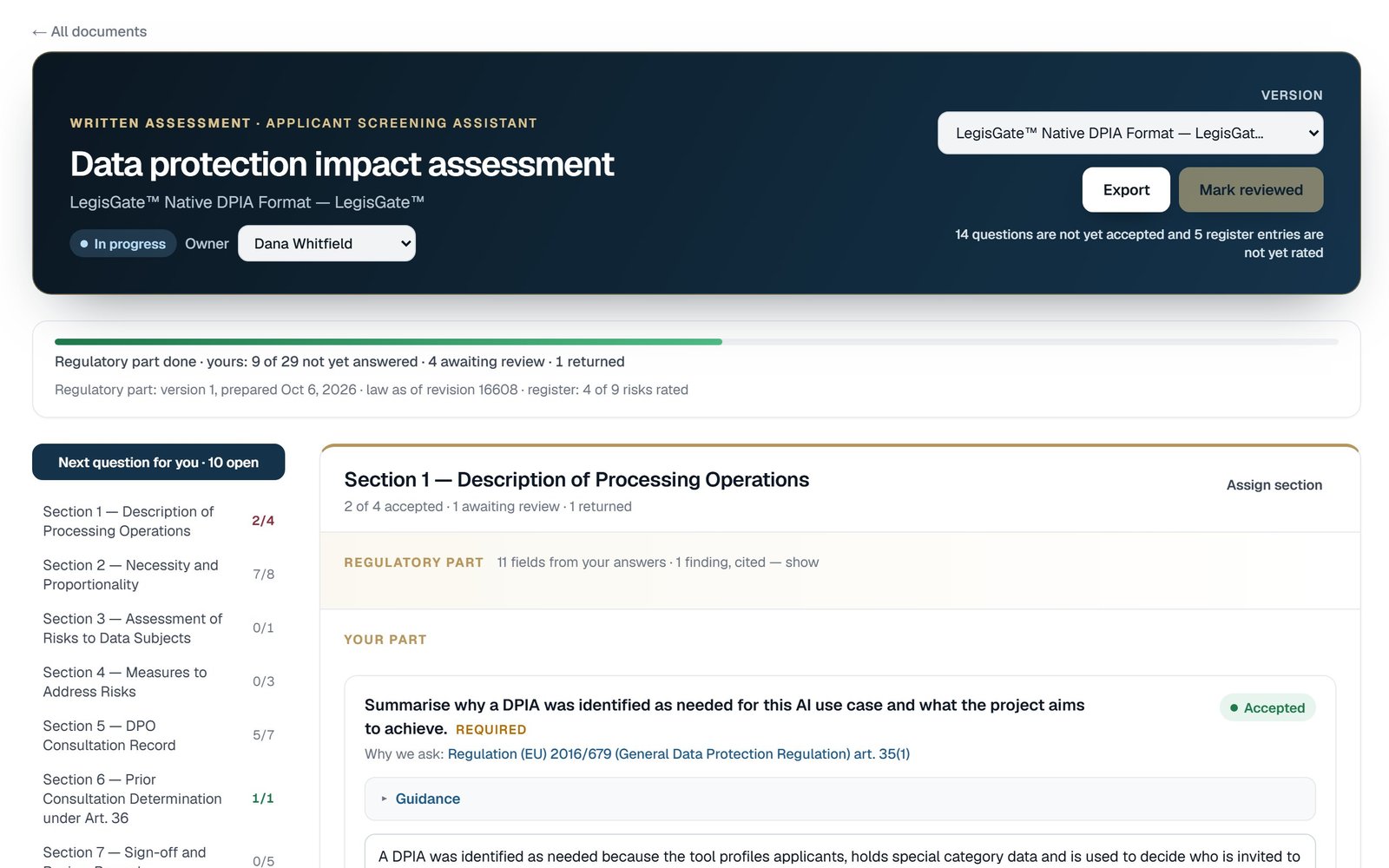
A data protection impact assessment open in LegisGate: progress, the sections down the side, and one section with its Regulatory part above the questions in Your part

04 · Monitoring

Monitor changes in the law behind each one

When a law behind an AI use case changes, LegisGate names the AI use cases, the obligations and the written assessments the change touches.

  • The AI use case each change affects
  • Each change dated
  • Open the AI use case from the change
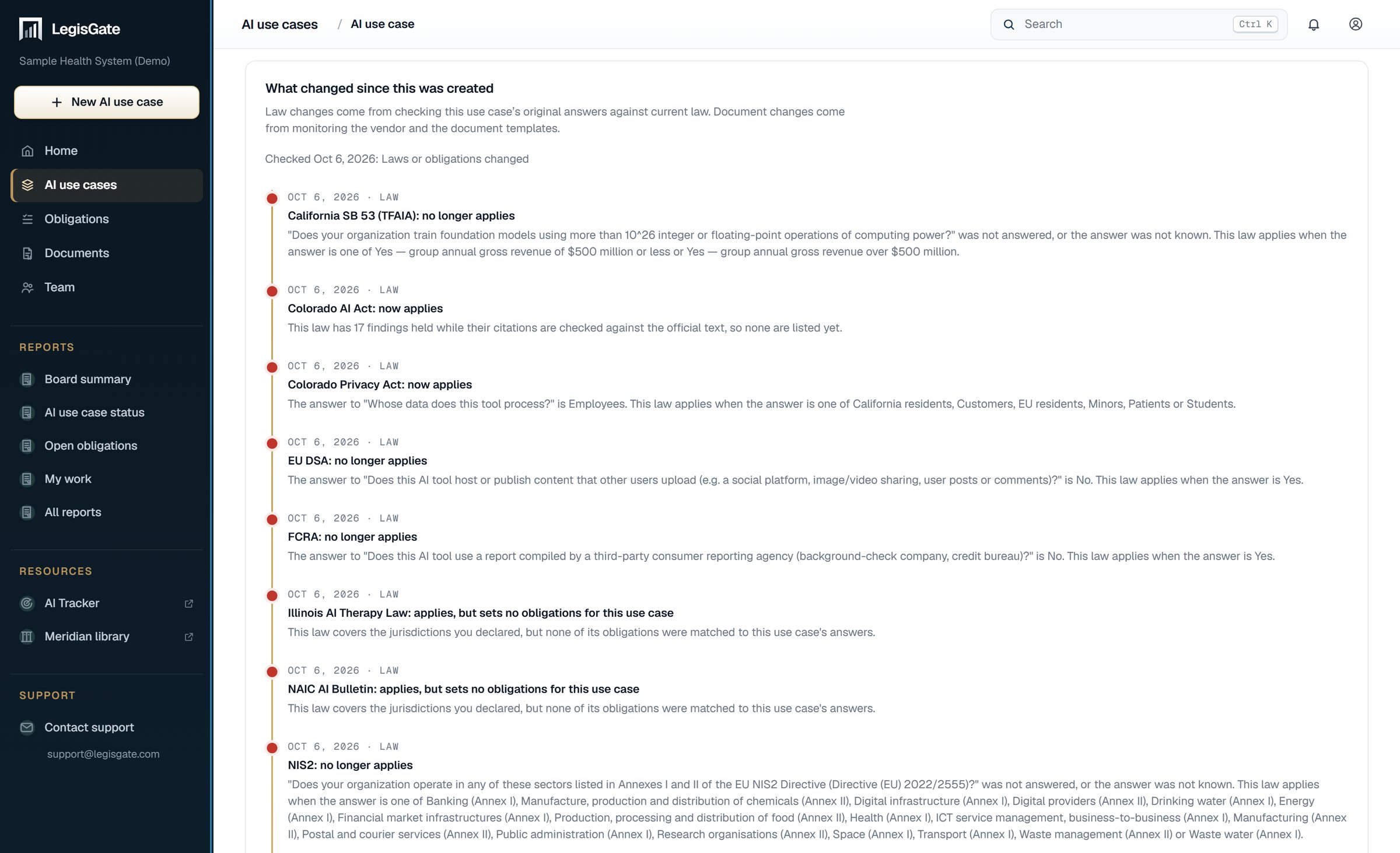
The What changed tab of one AI use case in LegisGate: a timeline of changes in the law, each dated

Working as a team

The record belongs to everyone who works on it.

Seats are never charged. Invite your colleagues, give each obligation an owner, and let the people outside your team contribute to the one assessment they are asked about.

01

Roles

Owner, admin and member for your team. Outside contributors see only what is assigned to them, in the assessment they were invited to.

02

Invitations

Invite a colleague or an outside contributor by email.

03

A record of the work

Every version, export and decision is recorded with who made it and when.

04

Your own systems

Export an AI use case as data for your GRC tool, as JSON or as CSV and JSON in one file.

Built for your role

The same record, read the way your role reads it.

Each page shows the part of the platform a role uses most.

Checked before it reaches you.
  • Every obligation is tied to a provision.
  • Every provision shown is checked against the primary source, and its in-force status is stated.
  • No AI model decides which laws apply, writes the legal content or creates a citation.

Getting started

Your first five AI use cases are free.

Begin with the AI use case that carries the most regulatory exposure. The result states what the law requires of it and what it does not require.

Talk to usWe're here to help
The LegisGate Platform for AI Use Cases | LegisGate™