How a state assessment is done in LegisGate
Five steps. You do not choose a number of states.
Obligations follow where the person is. If your AI use case reaches residents of four states whose statutes require an assessment, that is four assessments; if it reaches one, it is one.
Step 01The determination finds the real footprint
From the jurisdictions you declare, it establishes which states the AI use case reaches and which of their statutes call for an assessment, with the provision that says so. Where none does, you have the dated record.
Step 02A draft opens for each state
Each assessment is opened when the determination runs, titled with the term that state’s statute uses, and is included with the use case.
Step 03Our half is written, state by state
The regulatory half is built from the provisions that state actually enacted: the triggering analysis, the required contents, and how long the assessment must be kept and when it can be demanded. Not a national summary with the state name inserted.
Step 04You complete your half
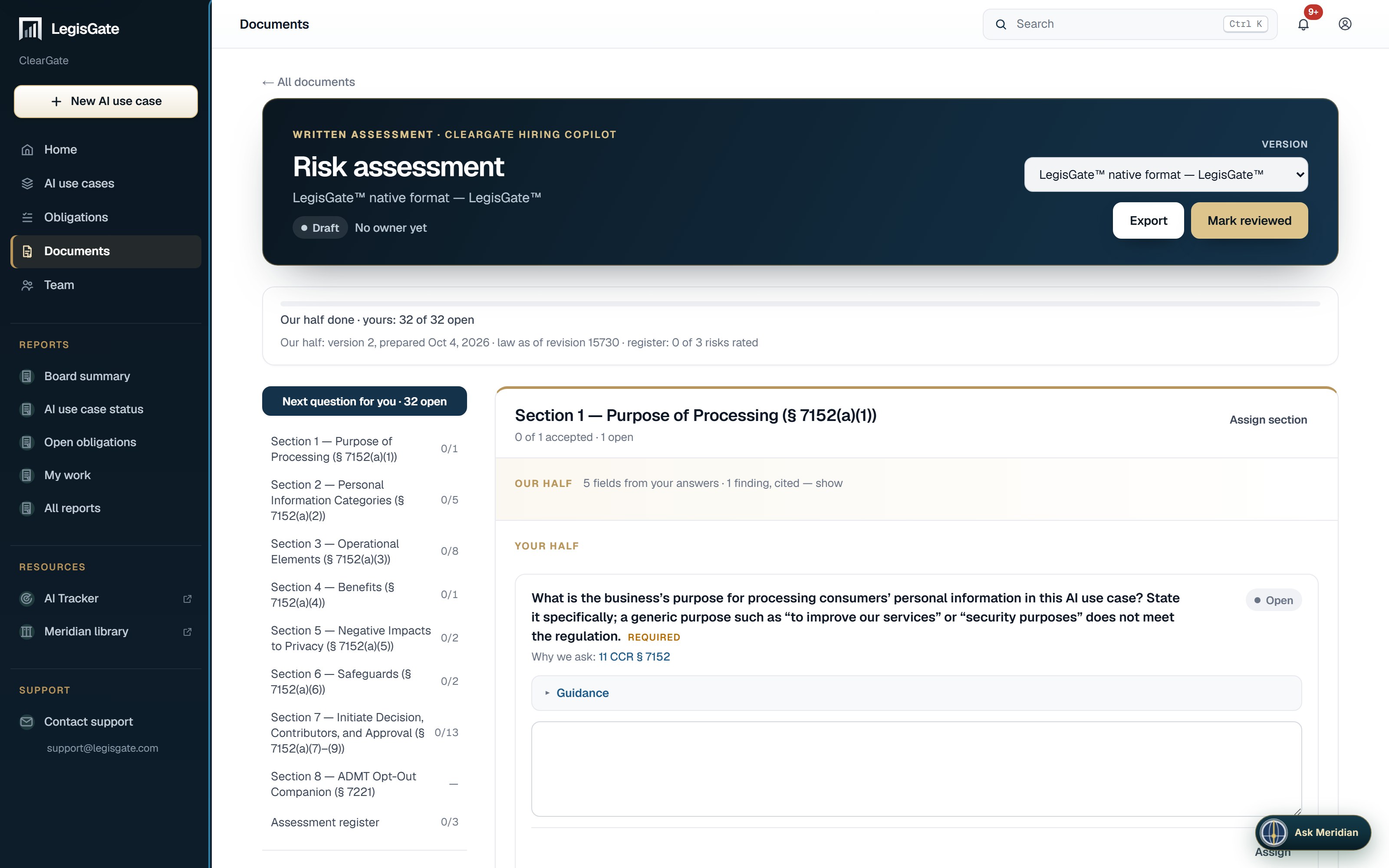
For California, your half is laid out as guided questions drawn from the California regulations on risk assessments. Each question shows the section that requires it, and its Guidance block quotes the regulation. LegisGate prepares the regulatory half of each state assessment automatically and marks the sections your organisation completes; guided questions are added state by state (California first).
Step 05You rate the risks, export, and record the review
The assessment register lists each risk the determination raised. No scale is prescribed for it; the register uses the ICO’s three-level scale and says so. The assessment can be exported at any point, with a status line on its cover saying how many questions are accepted and whether it has been reviewed. Mark reviewed records who reviewed it and when. It does not say the assessment is sufficient.
Monitoring is included and automatic: when the law behind a question changes, that question is flagged, and the activity log records who answered, accepted, assigned and exported.
Your first five AI use cases are free, with everything included: the laws, the obligations, the written assessments and monitoring. No card. More than five is a subscription.