How it works

From a free account to cited obligations, in four steps.

You describe the AI use case. LegisGate carries out the legal research, keeps it current, and leaves the decisions to you and your counsel.

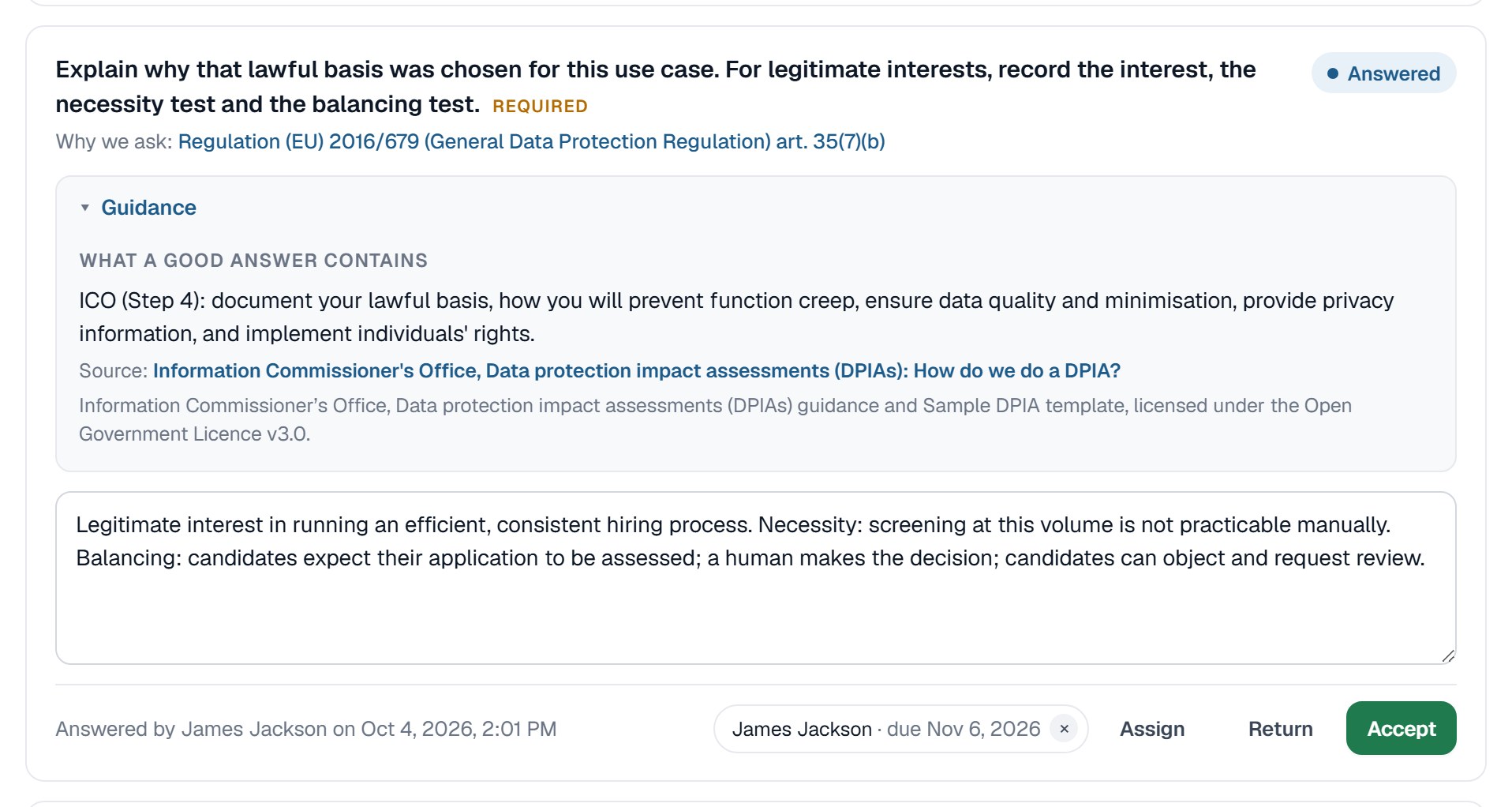
A question from the dynamic intake form in LegisGate, with the answer choices and the reason the question is asked

The four steps

You answer questions. The platform does the research.

Nothing in the determination is written by a language model: fixed rules compare your coded answers with who each law covers.

01 · Add an AI use case

Answer the dynamic intake form

Describe the tool, what it is used for, the data it handles and where the people it affects live. The form asks only what your earlier answers make relevant, and each question says why it is asked.

  • Asked once for the AI use case
  • Only the questions that apply
  • Each question says why it is asked

A question from the dynamic intake form in LegisGate, with the answer choices and the reason the question is asked

02 · Read the determination

See which laws apply, and which do not

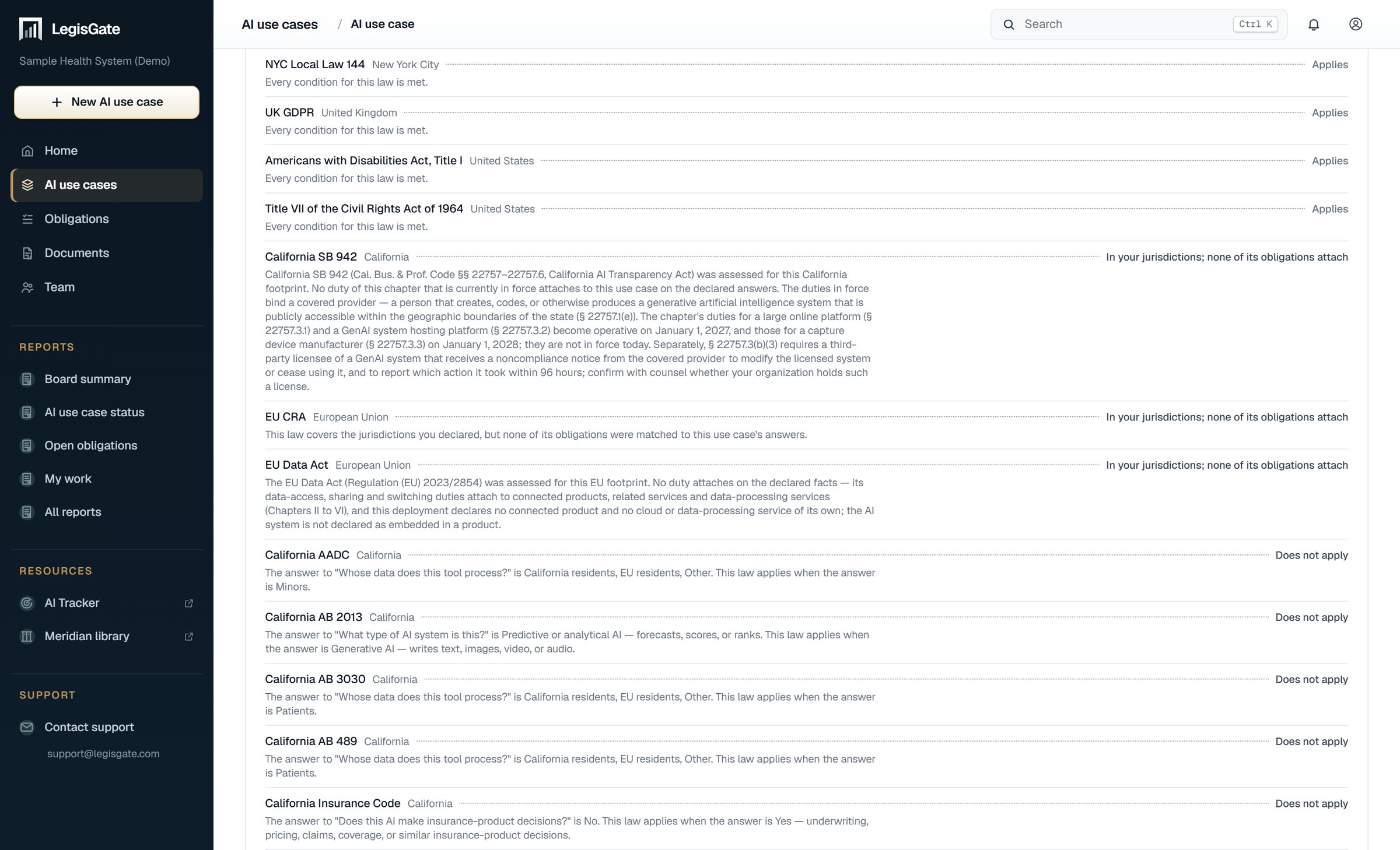
Every law that reaches the AI use case is cited to the provision it comes from. Every law that was checked and does not apply is recorded with the condition that was not met.

  • Cited to the provision
  • Linked to the official text
  • Ruled-out laws recorded with the reason
The laws considered for one AI use case in LegisGate, each marked Applies, In your jurisdictions with none of its obligations attached, or Does not apply, with the reason

03 · Assign and complete

Give each obligation an owner and open the assessments

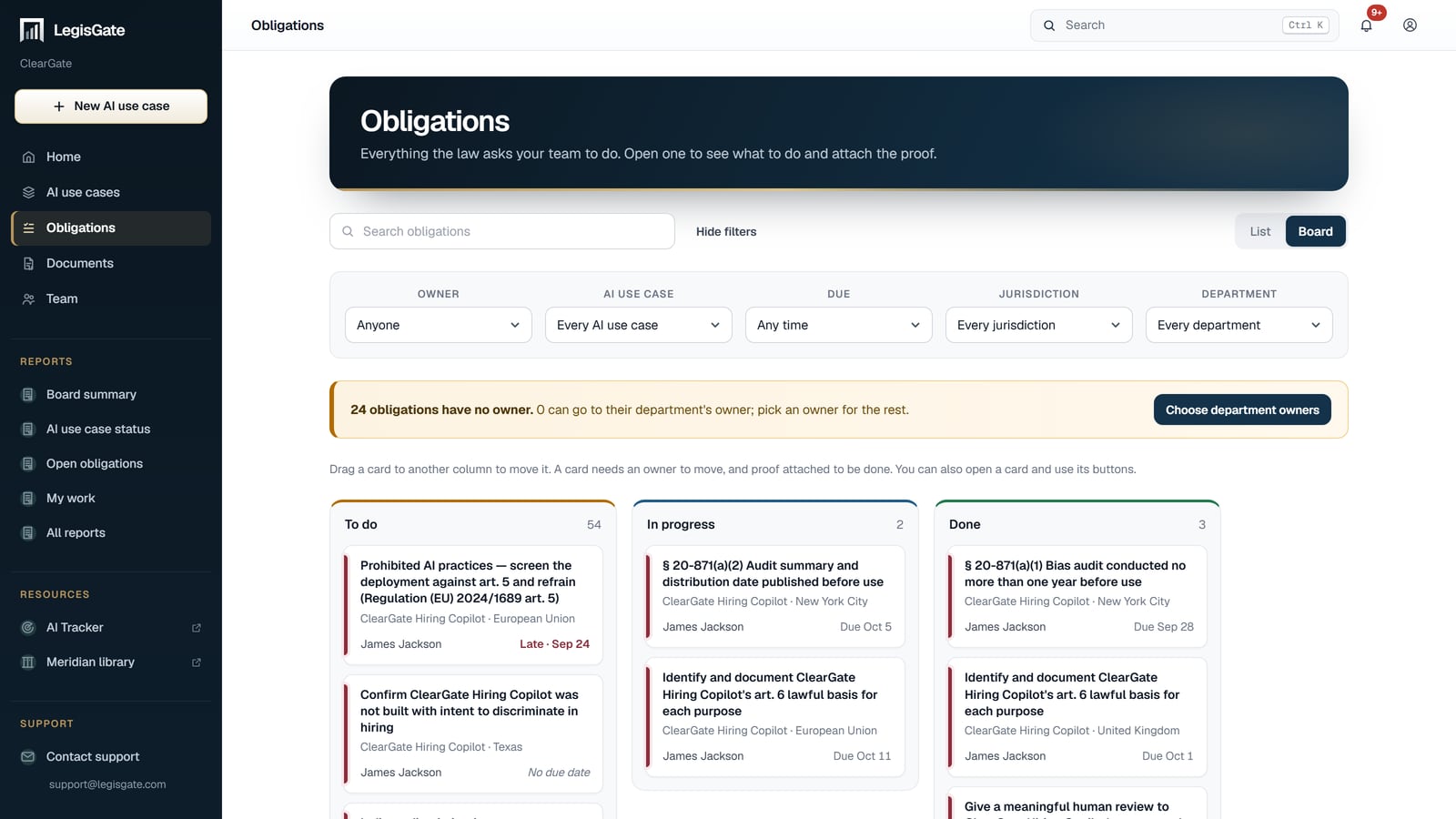
Assign each obligation an owner and a due date, and attach proof. The assessments open with the regulatory parts completed and cited; your team completes the rest.

  • An owner and a due date you can assign to each obligation
  • Files attached as evidence
  • Your part marked in each assessment
The obligations board in LegisGate, with To do, In progress and Done columns, each card naming the obligation, the AI use case, the jurisdiction, its owner and its due date

04 · Stay current

Be told when the law behind a use case changes

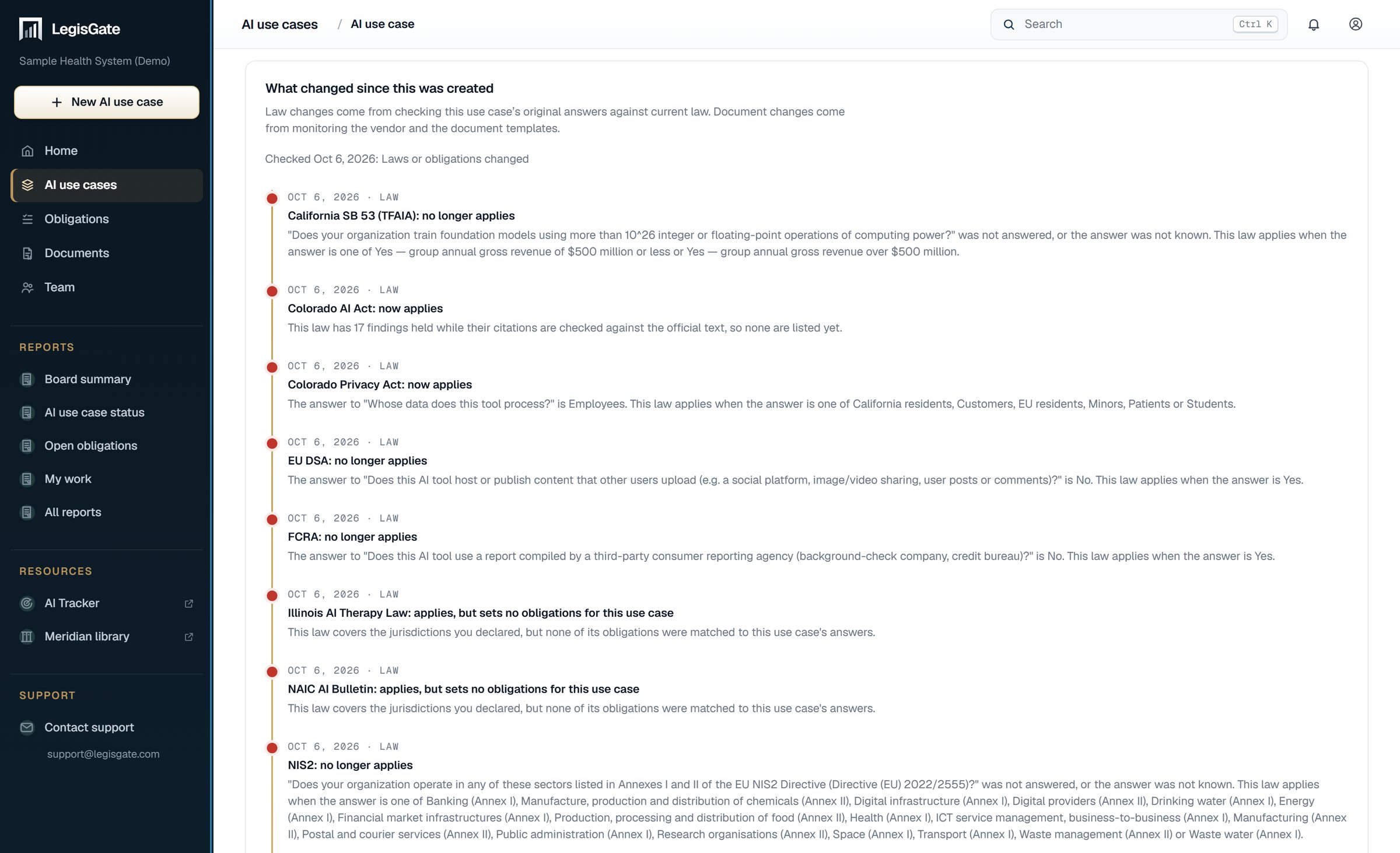
When a law changes, LegisGate names the AI use cases, the obligations and the written assessments it touches, so you know where to look.

  • Each change dated
  • The AI use case it affects
  • The earlier determination is kept
The What changed tab of one AI use case in LegisGate: a timeline of changes in the law, each dated

Where your judgment comes in

LegisGate prepares the work. Your counsel decides.

A determination tells you what attaches to an AI use case. It does not tell you that you have met the law. Sufficiency is for your counsel.

01

The regulatory part

The laws, the citations and the in-force dates, taken from the primary source and cited to the provision.

02

Your part

The facts about your organization and your use of the tool, which only your team can supply.

03

The decision

Whether the result is sufficient. Every decision is recorded with who made it and when.

Getting started

Your first five AI use cases are free.

Begin with the AI use case that carries the most regulatory exposure.

Talk to usWe're here to help
How LegisGate Works, in Four Steps | LegisGate™